
See your PostgreSQL Row-Level Security policies clearly. A self-hostable dashboard for inspecting, understanding, and documenting RLS — with optional AI to explain policies in plain English.
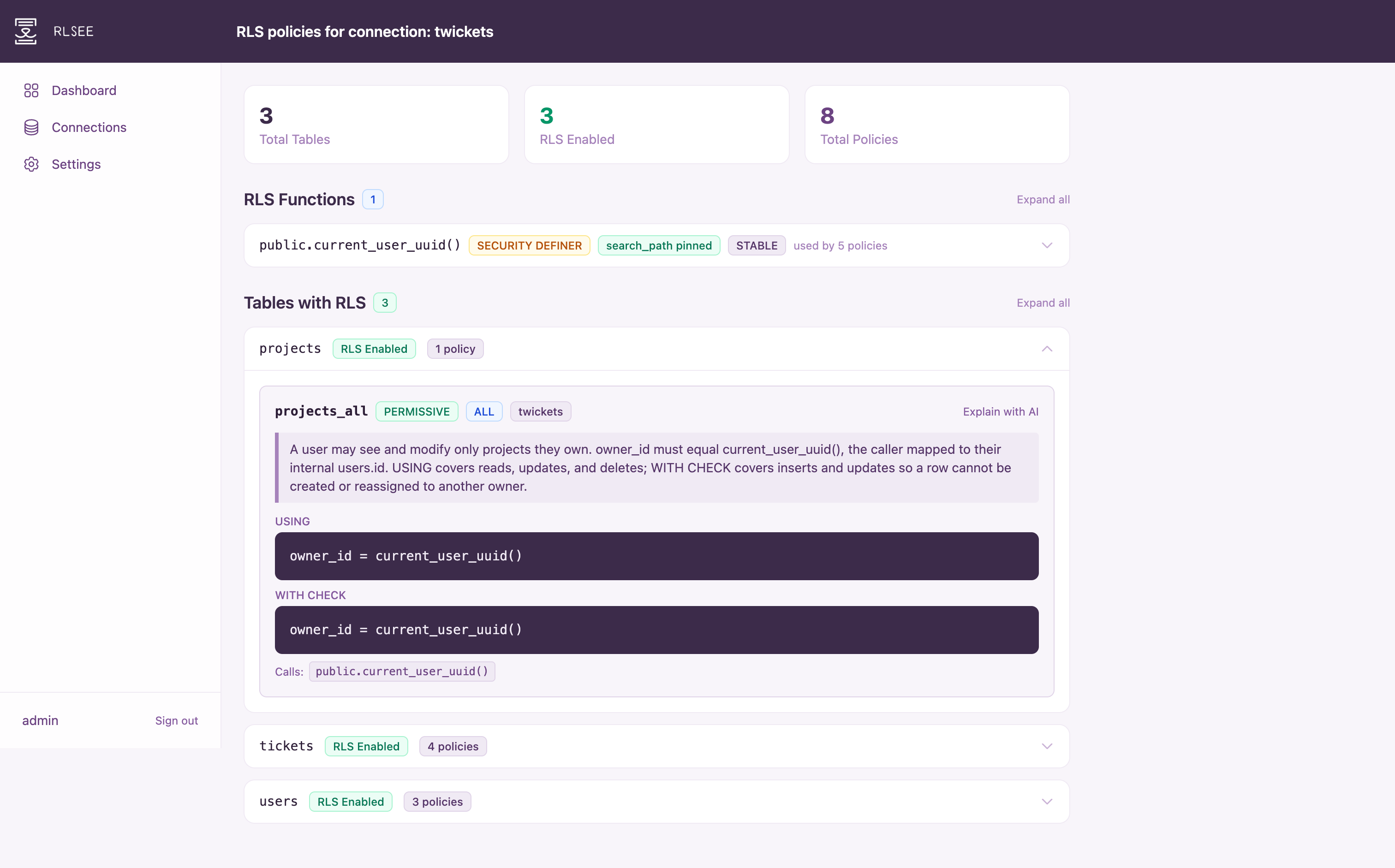
See your PostgreSQL Row-Level Security policies clearly. A self-hostable dashboard for inspecting, understanding, and documenting RLS — with optional AI to explain policies in plain English.
PostgreSQL's Row-Level Security is powerful, but understanding what's actually enforced means digging through system catalogs by hand.
Policies, functions, and dependencies live in separate pg_catalog tables with no unified view.
USING and WITH CHECK clauses are stored as raw expression strings, not human-readable descriptions.
Policies often call helper functions, but there's no easy way to see what those functions do or how they're linked.
Everything you need to audit, document, and understand your RLS policies in one place.
Browse tables, see which have RLS enabled, and expand to view USING and WITH CHECK expressions for every policy.
Surface COMMENT ON POLICY and COMMENT ON FUNCTION annotations via obj_description, right next to the definitions.
Automatically discover functions referenced by policies via pg_depend. See full definitions and security flags like SECURITY DEFINER.
Optional Anthropic or OpenAI integration to get plain-language explanations of policies and their referenced functions.
Store multiple PostgreSQL connections with Fernet-encrypted credentials. Test connections before saving.
Self-signed certificates generated automatically on first run. Bring your own certs or disable TLS as needed.
RLSee connects to your PostgreSQL database with read-only access and queries the system catalogs directly. No extensions to install, no schema changes, no background processes running on your database server.
It joins data from the catalog tables to build a complete picture of each policy: what it enforces, which functions it calls, and how those functions are defined.
Up and running in one command. Requires Docker.
One-liner install
curl -sSL https://raw.githubusercontent.com/jasondcamp/rlsee/main/bin/install.sh | bash
Or clone the repo and use Docker Compose:
git clone https://github.com/jasondcamp/rlsee.git
cd rlsee
make keys          # generate secrets
cp .env.example .env
docker compose up